A new client has said yes. Now comes the brief, the welcome email, the account setup and the handoff to your team. When every step depends on someone remembering to send the next message, a promising start can turn into a week of chasing details.
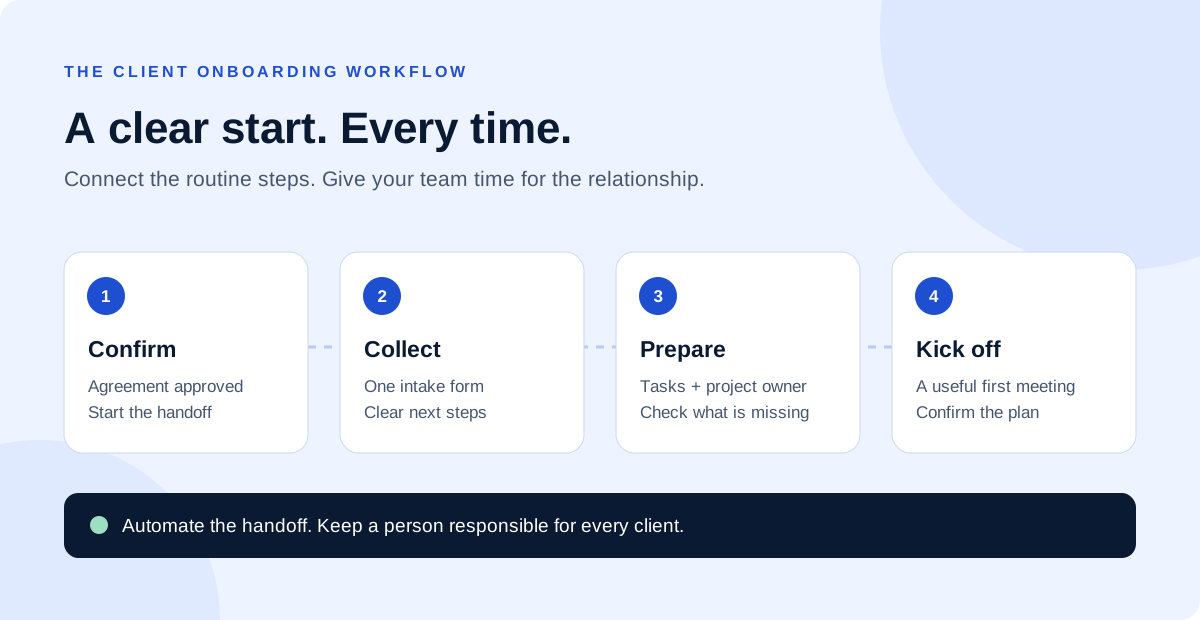
Client onboarding automation connects those repeatable steps so your team can see what is complete, what is missing and who needs to act. The goal is a clear path from an agreed engagement to a project that is ready to start.
This guide walks through six practical ways to build that path using a form, a shared client record and a project checklist. Adapt the sequence to the way your business actually delivers its services.
Less chasing
Give clients one place to provide the details your team needs.
Clear ownership
Show who is responsible for each handoff and missing item.
A consistent start
Use a repeatable checklist while leaving room for client-specific needs.
Standardize your client intake
A useful onboarding process starts with the information your team needs to deliver the work. When those details arrive across separate emails, someone has to collect, interpret and copy them before a project can begin.
Build one intake form for each service with genuinely different requirements. A website project might need a primary contact, business goals, existing website address and content status. An ongoing support engagement might need coverage hours, escalation contacts and a list of recurring tasks.
1. Ask for information you will actually use
Review a recent project and list the details that delayed the start. Turn those into clear questions, mark essential fields and explain unfamiliar terms. Keep optional background questions separate so they do not block submission.
2. Make missing information visible
Give the client a way to say that an item is not ready. Assign a person and a due date to that missing item instead of treating an incomplete form as a completed handoff. Use an approved access-sharing method for accounts; an intake form should not collect passwords.
Try this first
Replace three separate requests for business details with one short intake form. Ask a colleague to complete it before sending it to a client.
Connect your CRM and client records
The sales conversation already contains useful context: what the client bought, what success looks like and which promises were made. Carry that context into onboarding so the delivery team can pick up the conversation.
1. Choose a reliable starting event
Define exactly when onboarding begins. For example, the trigger might be an agreement marked complete after a required payment has been confirmed. A verbal yes or an early sales-stage change may be too soon. Write down the conditions before connecting your tools.
2. Update one client record
Match the event to an existing client or deal using a stable identifier. Record the service, delivery owner, agreed scope and onboarding status. Check for an existing onboarding project before creating another one, especially if an event can arrive twice.
For example, if a client resubmits their intake form to correct a phone number, the update should reach the same record. It should not create a second client and restart every welcome email. Our CRM implementation guide explains how a shared customer record supports the wider workflow.
Send welcome messages with clear next steps
A good welcome message answers the questions a new client is likely to have: who is looking after the project, what happens next and what they need to provide.
1. Build a service-specific message
Include the assigned contact, intake link, expected response window and a short outline of the next steps. Pull only confirmed details from the client record. If the start date is still being agreed, say so rather than inserting an assumed deadline.
2. Make reminders respond to progress
A reminder should check whether the requested action is still outstanding. Stop intake reminders when the form is complete, and pause them if a team member has agreed an extension. Give the client a direct way to ask for help.
“Welcome aboard, Maya. Alex will coordinate your website project. Please complete the project brief using the link below. Once we have reviewed your answers, Alex will confirm the kickoff time and any outstanding items. Reply here if you need help with the brief.”
Keep promotional sequences separate from these project messages. The immediate goal is to help the client start the service they have already chosen.
Prepare your project and team handoff
The client-facing steps and the internal handoff need to stay connected. A polished welcome email does little good if nobody on the delivery team knows the work is ready.
1. Create a reusable project checklist
Build a template around the service being delivered. Include the scope review, access checks, intake review, kickoff preparation and initial delivery milestones. Give every task an owner, and set dates relative to a confirmed start date.
2. Add a readiness check before kickoff
Ask the project owner to confirm that the brief is usable, the scope matches the agreement and the essential people can attend. A submitted form may still contain unclear answers. Leave space for that review before treating the project as ready.
What the handoff should contain
- The agreed service, deliverables and exclusions.
- The main client contact and internal delivery owner.
- Links to the agreement, brief and approved project folder.
- Missing items, open questions and the next agreed action.
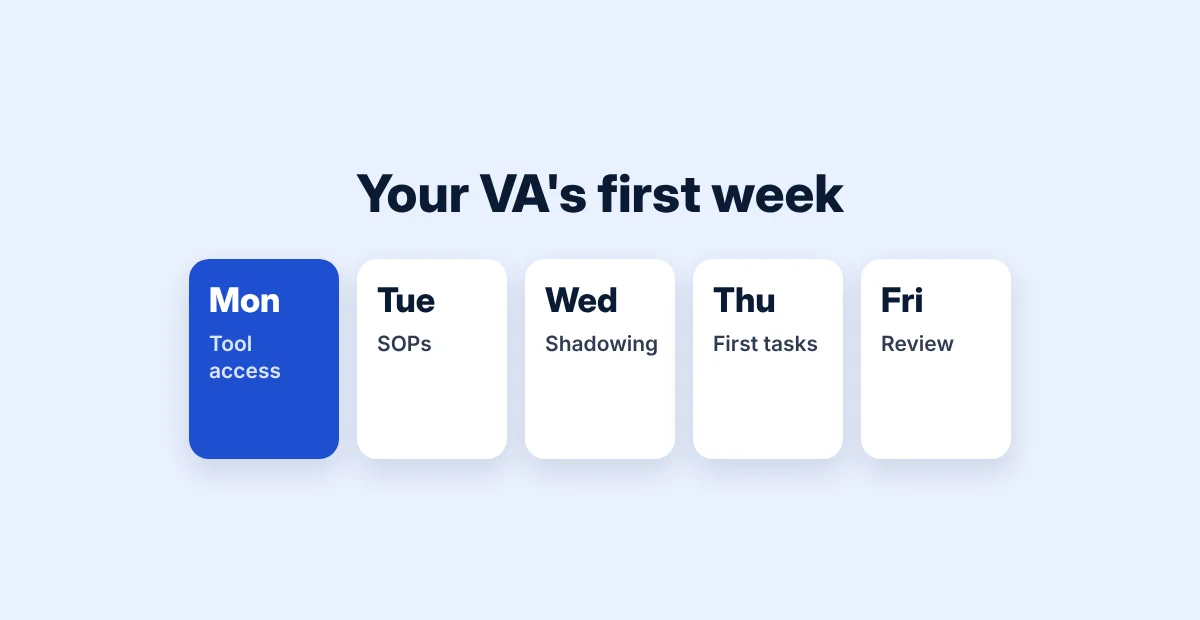
A virtual assistant can review submissions, follow up on missing assets and keep this checklist current while the delivery owner resolves questions about the work.
Track onboarding progress in one place
Use a small set of statuses that describe what is happening: waiting for intake, under review, waiting for access, ready for kickoff and started. Each status should make the next action clear.
1. Record the blocker and the owner
“Waiting for access” is more useful when the record also says which account is missing, who requested it and when the team will follow up. Keep those notes in the shared client record instead of a private message thread.
2. Measure the time between meaningful milestones
Track the time from the agreed onboarding trigger to a ready-for-kickoff status. Review which stage took longest and why. Also record reminder volume, manual corrections and duplicated projects so a faster process does not hide extra work.
Compare projects with similar requirements. A complex migration and a simple support retainer need different preparation, so a single average can obscure the reason for a delay.
Optimize your onboarding workflow
Start with one service and one complete path through onboarding. Connect more tools only after the basic handoff works for both the client and the team.
1. Test the normal path and the exceptions
Use sample records to check a complete submission, an incomplete brief, a repeated trigger and a failed connection. Confirm that the right person receives a useful alert when something fails. Record how to resume the process without sending everything again.
2. Keep a manual recovery path
Document how to create the project, send the welcome message and update the status manually. If an integration stops working, the client still needs a clear next step. Restrict account access to the people who need it and review connections when responsibilities change.
3. Improve one friction point at a time
After the first few onboardings, ask clients which instruction was unclear and ask the team where they repeated work. Shorten a confusing form, clarify a message or adjust a task dependency, then review the next group of projects.
If you are choosing how to connect your tools, our Zapier vs Make comparison covers planning considerations. Start with the workflow requirements before selecting an automation platform.
Give every new client a clear starting point
Choose one service, map the steps between agreement and kickoff, and assign a person to every handoff. Then connect the most repetitive steps and test the complete journey before expanding it.
DigiDesk helps businesses plan and connect their business automation workflows, from client intake to internal task routing. Book a free 15-minute strategy call to discuss where your onboarding process needs a clearer handoff.
Frequently asked questions
What is client onboarding automation?
It is the use of connected workflows to handle repeatable steps after a client commits to a service, such as requesting information, updating records, preparing tasks and sending progress-based reminders.
Which onboarding task should a small business automate first?
Start with a frequent, predictable handoff that has a clear owner. A welcome message with one intake link is a useful first project when the service and recipient details are already confirmed.
Can I use the tools my team already has?
Often, yes. Check whether your form, CRM, email and project tools can exchange the required information, what your existing plans permit and how failed updates will be handled. Test one complete workflow before adding subscriptions.
Should every onboarding step be automated?
Keep a person responsible for scope questions, unusual requests, incomplete information and final readiness. Automation can prepare the record and prompt the review; the project owner decides whether the team is ready to begin.