When a pipe bursts or a roof starts leaking, most people do not compare ten websites. They search on their phone, look at the businesses on the map and call one that looks trustworthy.
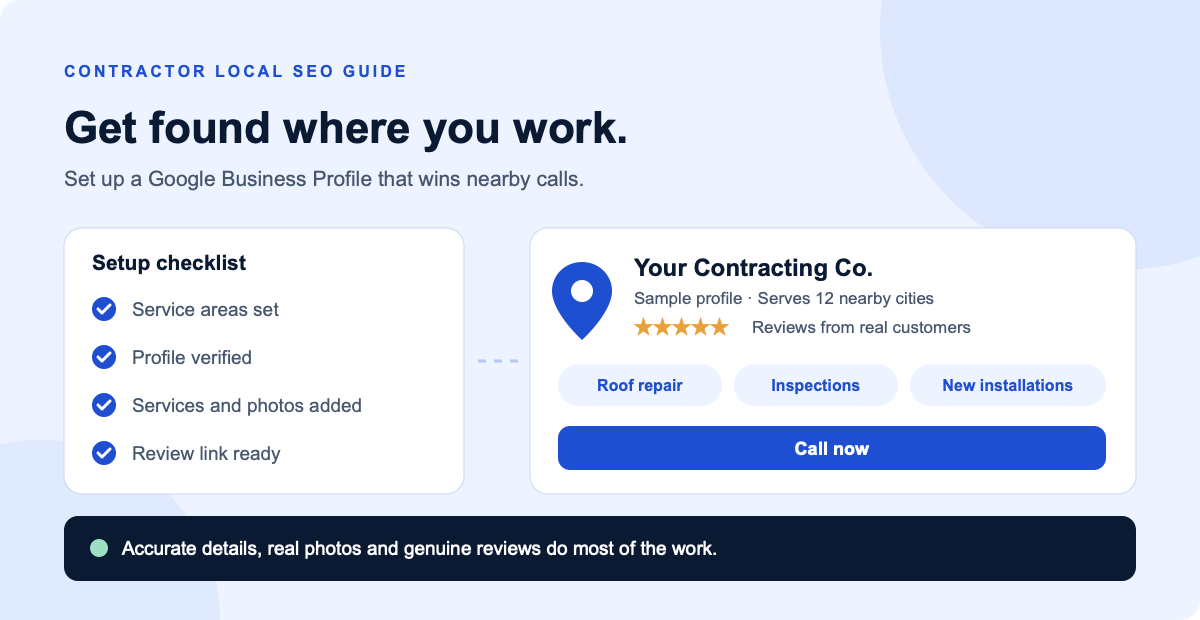
Your Google Business Profile is what they see in that moment. It is the free listing that shows your services, the areas you cover, your reviews, your photos and a button to call you. For a contractor without a storefront, it can do as much for local visibility as your website.
This guide walks through setup in the order that matters: confirm you are eligible, set your service area correctly, verify, complete the profile, then build reviews. It uses Google's current rules, which matter more for contractors than most businesses because many get these details wrong.
How Google decides who appears
Google says local results are based mainly on three things. Knowing them helps you spend time on what you can actually change.
| Factor | What it means | What you can do |
|---|---|---|
| Relevance | How well your profile matches the search. | Choose accurate categories, list your services and complete every section. |
| Distance | How far your business is from the person searching. | Set a realistic service area. You cannot change where the searcher is. |
| Prominence | How well known your business is. | Earn genuine reviews and links from other websites. |
Good to know: Google states there is no way to request or pay for a better local ranking. Be wary of anyone who promises a guaranteed top spot on the map.
Step 1: Check your eligibility before you start
First, search for your business on Google Maps. A listing may already exist, especially if you have been trading for a while. If so, claim it rather than creating a second one, because Google allows only one profile per business location.
Then check that your setup meets Google's guidelines:
- You use a real address. P.O. boxes and remote mailboxes are not accepted.
- You do not rely on a virtual office, which is not eligible.
- A co-working space is only eligible with clear signage, staffed by your own team, with customers received during business hours.
- You use the name customers know from your vehicles, website and paperwork.
- The profile sits under a Google account the business controls, not a former employee's or a marketer's personal account.
Step 2: Set your address and service area correctly
This is where contractors differ from a shop or restaurant. Most contractors go to the customer, so Google treats them as service-area businesses. The rules are specific:
- Remove your address if customers do not visit it. If you work from home or a yard, do not show that address on your profile.
- Keep it if you have a real customer location. A staffed showroom or office that receives customers during your stated hours can show its address alongside a service area.
- Add up to 20 service areas. Use cities, postal codes or other named areas.
- Do not use a radius. Radius-based service areas are not allowed.
- Stay within about two hours of driving from your base. Listing every city in your state will not help, and it goes against Google's guidance.
Choose the areas you actually want work from. If 80 percent of your jobs come from six towns, list those first rather than filling all 20 slots for the sake of it. Your website should then back this up with local SEO for contractors that covers the same areas.
Step 3: Verify your business
Verification proves you run the business. Google picks the options available to you based on factors such as your business type, region and public information, and they cannot be changed manually. Video is one of the methods you may see, so it helps to know what Google wants.
If you are offered video verification, plan for these points:
- Record it live. Google does not accept pre-recorded footage, and you record from your phone through your Business Profile.
- Record for at least 30 seconds. Plan a single continuous walk-through.
- Show where you operate. Street signs or landmarks near your business address help.
- Show that the business is real. Include your branded vehicle, tools and equipment.
- Show that you control it. For example, open a locked toolbox or storage area, or show business paperwork.
- Keep other people out of the shot. Their faces should not appear.
Google says a review can take up to five business days. If your video is rejected, you can record it again through the Review issues option.
Plan the video first
Write a short shot list before you press record: street sign, vehicle, tools, paperwork. A calm 60-second walk-through is better than rushing and being asked to do it again.
Step 4: Complete every section of your profile
Google recommends keeping your details accurate and complete, because a detailed profile helps it match you to searches. Work through each section in turn:
| Section | What to do | What to avoid |
|---|---|---|
| Business name | Use your real-world name. | Adding services or cities, such as “Best Roofer Dallas”. |
| Primary category | Pick the most specific match, such as Roofing contractor, Plumber, Electrician or HVAC contractor. | Adding categories for everything you do. Google advises as few as possible. |
| Services | List the jobs you want, using words customers use. | Vague entries like “general solutions”. |
| Hours | Show when customers can reach you, and add special hours for holidays. | Claiming 24-hour service you cannot deliver. |
| Phone and website | Use a number you answer and link to your main site or a relevant service page. | Details that differ from your website. |
| Description | Explain what you do, where you work and what makes you different. | Keyword lists, promotions or links. |
| Photos and videos | Add real jobs, your team, vehicles and before-and-after shots. | Stock photos or images of someone else's work. |
Photos deserve special attention. Contractors have an advantage here, because every job creates fresh proof of your work. Get into the habit of taking a few pictures at each site, with the customer's permission.
Step 5: Build reviews the right way
Reviews influence both your visibility and whether someone calls you. Google lets you share a link or QR code that takes customers straight to your review form, which makes asking much easier.
The simplest system is to ask at the same moment on every job:
- Finish the job and check the customer is satisfied.
- Ask in person. A simple “It would really help us if you left a review” is enough.
- Send your review link the same day by text or email, while the work is fresh in their mind.
- Reply to reviews. Keep replies brief and specific, and avoid copying the same thank-you each time.
You can automate that follow-up message so nobody forgets. Our guide to responding to leads faster covers similar timing, and business automation can send the request when a job is marked complete.
What Google does not allow
- Incentives. No discounts, payments or free services in exchange for reviews, for changing them, or for removing negative ones.
- Selective requests. You cannot ask only customers you expect to be happy.
- Fake reviews. No reviews from family posing as customers, paid reviews or several accounts run by one person.
When you get a bad review, respond calmly. Google suggests apologizing where appropriate, admitting real mistakes, never sharing private information and moving complex issues to a phone call or email. Future customers read those replies as well.
Step 6: Connect your profile to your website
Your profile gets attention, and your website helps close the job. The two should tell the same story:
- Keep your business name, phone number and service details the same in both places.
- Give each main service its own page, rather than listing everything on one page.
- Cover the towns from your profile on your website, using useful local detail rather than copied pages.
- Make the phone number easy to tap on mobile.
If your website is slow or thin, it can undo the work you put into your profile. Our local SEO checklist covers the wider picture, and our guide to getting cited in AI search explains why clear, consistent business details also help with AI tools.
Common mistakes contractors make
- Showing a home address. If customers do not visit, remove it.
- Stuffing the business name with keywords. This breaks Google's guidelines and can lead to suspension.
- Creating duplicate profiles. One profile per business location is the rule, so do not create extras for extra towns.
- Using a virtual office or mailbox as a fake location. These are not eligible.
- Setting it up once and forgetting it. Old hours and missing services make you look inactive.
- Leaving access with someone else. Keep owner access inside the business, even if an agency manages it for you.
A simple 30-minute monthly routine
A good profile stays useful with very little upkeep. Once a month, set aside half an hour to:
- Add three to five new photos from recent jobs.
- Reply to any reviews you have not answered.
- Check your hours, including upcoming holidays.
- Review your services and add any new ones.
- Check your profile performance to see how people are finding you and contacting you.
If this keeps slipping, it is a good task to hand to a virtual assistant.
Next steps
Start with one job today: search for your business on Google Maps and see what customers see. Then work through the steps above in order. Most of this is work you can do yourself, and it costs nothing but time.
If you would rather hand it over, DigiDesk sets up and improves Google Business Profiles as part of our local SEO work. See how it works in our local SEO for contractors service or book a free 15-minute strategy call.
Frequently asked questions
Is a Google Business Profile free for contractors?
Yes. Creating and managing a Google Business Profile is free. Google also says there is no way to request or pay for a better local ranking.
Can I get a Google Business Profile without an office?
Yes. Contractors who travel to customers can run a service-area profile. You still give Google a real business address for verification, but you remove it from the public profile if you do not serve customers there.
How many service areas can a contractor add?
Google allows up to 20 service areas, set by city, postal code or another named area. Radius-based service areas are not allowed, and the overall area should stay within about two hours of driving from your base.
Can I add keywords to my business name?
No. Google asks for your real-world business name. Adding service or location terms breaks its guidelines and can lead to a suspension. If your legal or trading name is different, use the name customers see on your vehicles, website and paperwork.
How long does Google Business Profile verification take?
It depends on the method Google offers you. For video verification, Google says the review can take up to five business days. If a video is rejected, you can record a new one.
Can I offer a discount for a Google review?
No. Google does not allow discounts, payments, free services or other incentives in exchange for reviews. You also cannot ask only happy customers. Ask every customer in the same way.
Sources
- Guidelines for representing your business, Google
- Manage your service areas, Google
- Verify your business with a video recording, Google
- How to improve your local ranking, Google
- Tips to get more reviews, Google
- Prohibited and restricted content, Google Maps user-contributed content policy