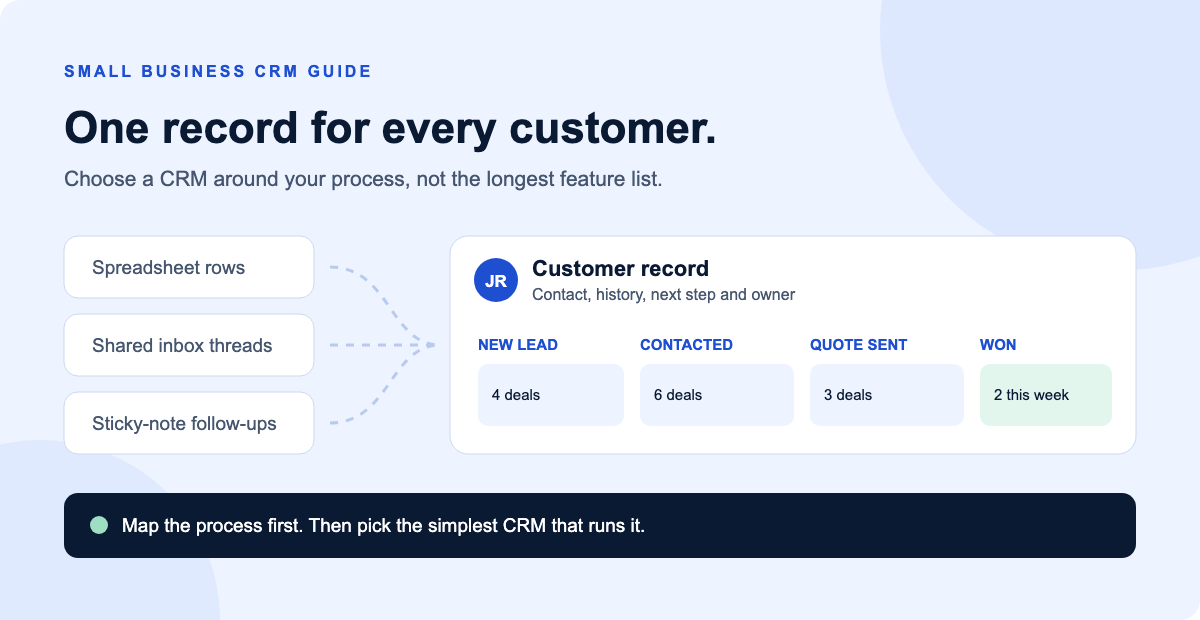
Most small businesses do not choose a CRM. They drift into one: a spreadsheet becomes three spreadsheets, a shared inbox becomes the sales pipeline and the real follow-up list lives in someone's head.
A customer relationship management (CRM) system replaces that patchwork with one record for every lead and customer: who they are, what was said, what happens next and who owns it. The hard part is not finding a CRM. There are dozens of good ones. The hard part is choosing one your team will actually use.
This guide walks through the decision in the order we use with clients: confirm the need, map the process, shortlist on the features that matter, then roll it out in a way that sticks.
Do you need a CRM yet?
A spreadsheet is fine when one person handles a handful of leads. It starts to fail when information is spread across tools, more than one person touches the same customer, or follow-ups depend on memory. Watch for these signs:
- Leads go cold because nobody followed up on time.
- You cannot answer “how many open quotes do we have?” in under a minute.
- Two people have contacted the same lead without knowing it.
- Customer history lives in personal inboxes and leaves when an employee does.
- Website form submissions are copied into a sheet by hand.
- You do not know which marketing channel produced last month's customers.
Quick check: Write down the two or three things your current setup keeps dropping. If you cannot name any, you may not need a CRM yet. If the list is long, it becomes your requirements list.
Step 1: Map your process before you look at software
The most common CRM mistake is buying the tool first and bending the business around it. Instead, sketch how a customer moves through your business today on one page:
- Where leads come from: website forms, calls, referrals, Google Business Profile, ads, walk-ins.
- The stages a deal passes through: for example New lead, Contacted, Quote sent, Won or Lost. Keep it to five to seven stages.
- Who owns each stage: the person responsible for moving the deal forward.
- What happens after a sale: onboarding, scheduling, invoicing, review requests, repeat business.
That map tells you what the CRM must do. A home services company that books jobs needs scheduling and quoting. A consulting firm needs pipeline tracking and proposal follow-up. A clinic may need a system that is suitable for regulated health information, which our HIPAA guide explains.
Step 2: Shortlist on the features that matter
Feature comparison pages list hundreds of capabilities. For most small businesses, these eight decide whether the CRM works:
| Feature | Why it matters | What to check |
|---|---|---|
| Contact and company records | The single source of truth for every customer. | Custom fields, duplicate detection, easy import from CSV. |
| Visual pipeline | Shows every open deal and where it is stuck. | Drag-and-drop stages that match your process map. |
| Tasks and reminders | Turns “I'll call them next week” into a scheduled task. | Due dates, owners and daily task views. |
| Email and calendar sync | Logs conversations without manual copying. | Works with Google Workspace or Microsoft 365, whichever you use. |
| Web form capture | Sends website inquiries straight into the pipeline. | Native forms or a reliable connection to your website. |
| Automation | Handles assignments, follow-ups and stage changes. | Which plan includes workflows, and how many. |
| Integrations | Connects accounting, scheduling, phone and marketing tools. | Native integrations first, then Zapier or Make support. |
| Mobile app and reporting | Keeps field teams updated and shows what is working. | Lead source reports and a usable phone app. |
If a tool lacks a native integration you need, an automation platform can usually fill the gap. Our Zapier vs Make comparison explains the trade-offs.
Step 3: Compare free and paid plans honestly
Several well-known CRMs offer free plans that are genuinely useful for very small teams. At the time of writing, HubSpot's free CRM supports up to two users and 1,000 contacts, and Zoho CRM's free edition supports up to three users. Other popular options, such as Pipedrive, rely on free trials instead of free plans.
Free plans are a good way to start, but check three things before you commit:
- User and contact limits. Will you exceed them within 12 months as you hire or grow your list?
- Automation limits. Workflows and sequences are often reserved for paid tiers, and automation is where much of the time saving comes from.
- The upgrade price. Per-user pricing multiplies quickly. Calculate the cost at your expected team size, not today's.
Pricing and plan limits change often, so confirm current details on each vendor's pricing page before you decide.
Match the CRM type to your business
CRMs tend to lean toward one strength. Knowing which one you need narrows the list quickly.
| If your business… | Look for |
|---|---|
| Sells through quotes and follow-up calls | A sales-focused CRM with a strong pipeline, tasks and email tracking. |
| Grows through email and content marketing | An all-in-one CRM with built-in email marketing, forms and lead scoring. |
| Books jobs and dispatches technicians | A field service platform with built-in CRM, scheduling and invoicing. |
| Runs an online store | A CRM that integrates tightly with your ecommerce platform and order history. |
| Handles regulated client data | A vendor that supports your compliance needs, such as signing a business associate agreement. |
Step 4: Questions to ask before you buy
Shortlist two or three tools and test each with your own data during the free plan or trial. Then ask:
- Can my least technical team member log a call and move a deal in under a minute? Adoption beats features.
- Does it connect to my website forms, email, calendar and accounting tool?
- What does it cost at my team size in 12 and 24 months?
- Can I export all my data if I leave? Contacts, deals, notes and activity history.
- Who owns the account? The business, not a single employee or contractor, should hold admin access.
- What support is included? Onboarding help, documentation and response times differ widely.
Step 5: A 30-day CRM rollout plan
A CRM only works when everyone uses it. A short, structured rollout prevents it from becoming another abandoned subscription.
- Week 1, set up: create pipeline stages from your process map, add only the custom fields you need and set user permissions.
- Week 2, import and connect: clean and de-duplicate your spreadsheet, import contacts and open deals, connect email, calendar and website forms.
- Week 3, automate the basics: auto-assign new leads, create a follow-up task for every new inquiry and send an instant confirmation email. Our guide to speed to lead explains why fast first responses matter.
- Week 4, train and review: run a short training session, agree on one rule (“if it is not in the CRM, it did not happen”) and review the pipeline together weekly.
Start small
Launch with one pipeline and three automations. Add more only after the team uses the basics every day. Over-built CRMs are one of the most common reasons small teams stop using them.
Common CRM mistakes to avoid
- Importing messy data. Duplicates and outdated contacts erode trust in the system from day one.
- Too many fields and stages. Every required field is a reason not to update a record.
- No clear owner. Someone must be responsible for data quality and settings.
- Skipping integrations. If leads still arrive by email and get typed in by hand, the CRM will always be behind.
- Choosing for a future business. Buy for the next one to two years, not the company you hope to be in five.
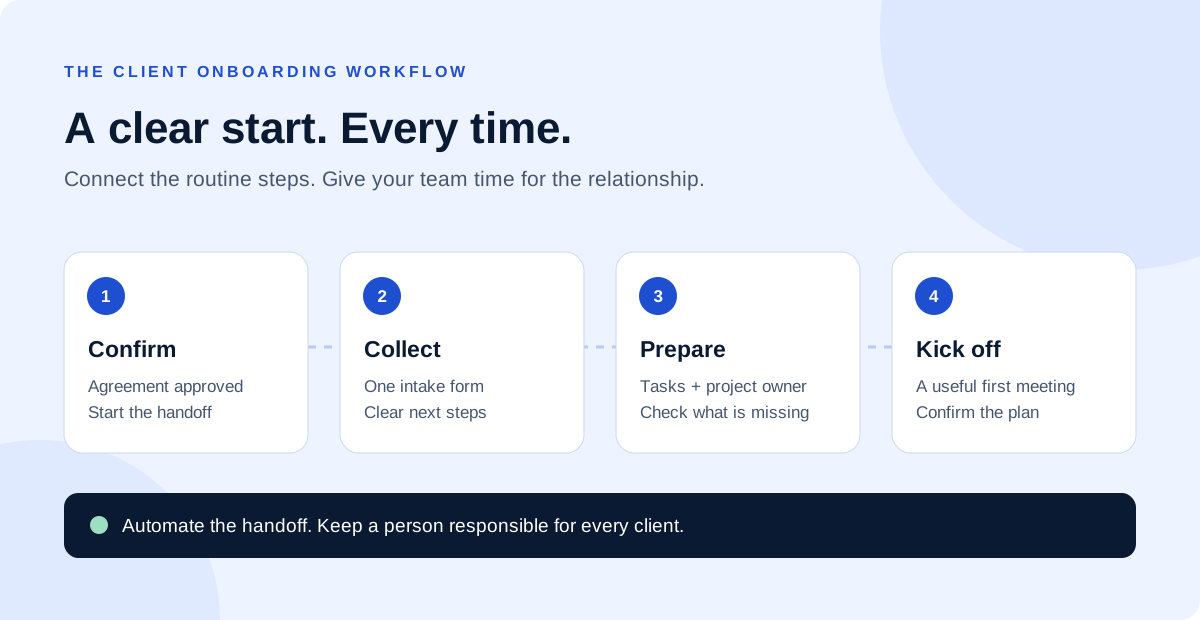
Once your CRM is in place, it becomes the backbone for other workflows, such as automated client onboarding, and for the routine updates you can delegate to a virtual assistant.
Next steps
Start with a one-page process map and a list of what your current setup keeps dropping. That is enough to shortlist the right type of CRM and test two or three options with real data.
Want help choosing or setting one up? DigiDesk plans, configures and connects CRMs for small businesses, including data migration, website form capture and follow-up automation. Learn how it works in our CRM implementation use case, explore our business automation services or book a free 15-minute strategy call.
Frequently asked questions
What is the best CRM for a small business?
There is no single best CRM. The right choice is the simplest system that runs your actual sales or service process, connects to the tools you already use and that your team will update every day.
Is a free CRM good enough for a small business?
Often, yes, at the start. Free plans usually limit users, contacts or automation. Check those limits against your team size and lead volume for the next 12 months before committing.
When should a small business stop using a spreadsheet for leads?
Move to a CRM when follow-ups are being missed, more than one person works the same leads, or you cannot quickly see where every open deal stands.
How long does it take to set up a CRM?
A focused small business setup with one pipeline, a contact import and a few automations can usually be live within a few weeks. Custom integrations and data cleanup add time.
Can I switch CRMs later?
Yes. Most CRMs export contacts, companies and deals to CSV. Activity history and automations are harder to move, so choose carefully and keep your data clean from the start.
Sources
- HubSpot free CRM, HubSpot
- Zoho CRM pricing, Zoho
- CRM vs spreadsheets, Bigin by Zoho CRM