Most small business websites do not fail all at once. They slowly fall behind: the phone layout gets awkward, a service changes but the page does not, and inquiries drift to competitors whose websites are easier to use.
A redesign is a real investment, so it should solve a real problem. Use the nine signs below to check your current site honestly. If several apply, it is usually time to rebuild. If only one or two apply, a focused fix may be enough.
Each sign includes a quick way to check it yourself, using free tools where possible.
1. It is hard to use on a phone
Google uses the mobile version of a website's content for indexing and ranking. If customers must pinch, zoom or hunt for your phone number on a small screen, both search visibility and inquiries can suffer. Review Google's mobile-first indexing guidance for the technical details.
Quick check: Open your website on your own phone. Try to find a service, call the business and submit the contact form in under a minute. Note every point where you hesitate.
2. Pages load slowly or jump around
Google's Core Web Vitals measure real visitor experience. A page reaches the current “good” thresholds when the main content loads within 2.5 seconds for Largest Contentful Paint, interactions respond within 200 milliseconds for Interaction to Next Paint, and the Cumulative Layout Shift score is 0.1 or less.
Slow pages are often caused by oversized images, heavy themes, too many plugins or slow hosting. Some of these problems can be fixed without a redesign. When the theme or page builder is the bottleneck, rebuilding may be more practical than repeated patching.
Quick check: Test the homepage and a key service page with PageSpeed Insights. If you use Search Console, review the Core Web Vitals report for failing mobile page groups.
3. Visitors arrive, but inquiries do not
Traffic without leads often points to a conversion problem. Common causes include no clear next step, a phone number buried in the footer, long forms and service pages that never explain the process, service area or expected outcome.
Response time matters too. A form that drops into an unchecked inbox loses leads even when the page works. Our guide to speed to lead covers the follow-up side of the problem.
Quick check: Count last month's website form submissions and calls. If you cannot get that number, missing conversion tracking is a problem in its own right.
4. It no longer describes your business
New services, retired offers, a new service area, a different team or updated pricing should appear on the website. Outdated information makes visitors question everything else they read and can attract inquiries that do not fit the business.
Quick check: Compare the website's services, locations and team page with how the business actually operates today.
5. You cannot update it yourself
If every small change needs a developer, or only one person knows how the website works, it will keep falling behind. Outdated plugins, abandoned themes and unsupported software versions can also create security and maintenance risks.
Quick check: Try to edit a headline and add a new page. Then list who controls the domain, hosting and website logins. Your business should own all three.
6. It is not built to be found in search
Many older websites put every service on one page, skip location pages and leave page titles as “Home.” That makes it harder for search systems and AI answers to understand what the business offers and where it operates.
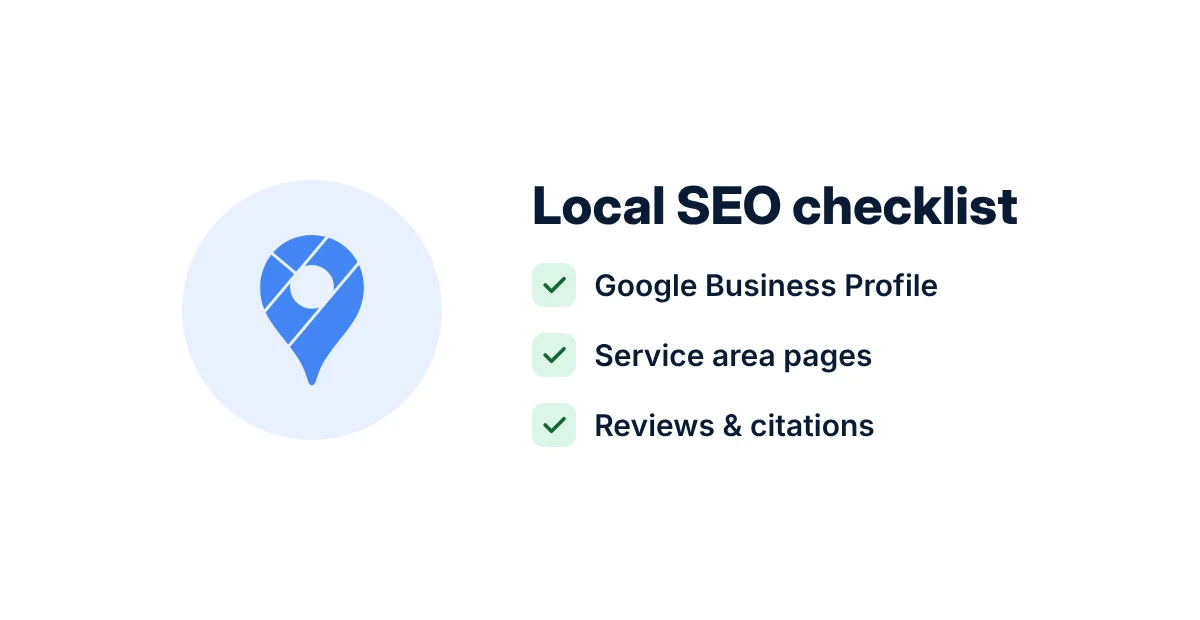
A search-ready website gives each core service a focused page, uses clear headings and unique metadata, keeps business details accurate and applies structured data that matches visible content. Use our local SEO checklist and guide to earning citations in AI Overviews and ChatGPT for a deeper review.
Quick check: Search for your main service plus your city. Note which page appears, if any, and whether the search result accurately describes the business.
7. It looks dated next to competitors
Visitors form credibility judgments quickly. Generic stock photos, cluttered layouts and inconsistent branding can make a capable business look less established than it is.
Quick check: Open your website and three competitor websites side by side. Ask a customer or colleague which business they would contact first and why.
8. Some visitors cannot use it
Low-contrast text, images without alt text, forms without labels and menus that do not work from a keyboard shut people out. WCAG 2.2 is a widely used accessibility standard, and many of its recommendations improve usability for everyone.
Quick check: Try to navigate the homepage and submit the contact form using only the Tab and Enter keys.
9. It does not connect to the rest of your business
If someone copies form submissions into a spreadsheet or CRM by hand, leads can be delayed or lost. A modern website can send inquiries to the CRM, notify the responsible person and trigger a confirmation or follow-up automatically. Learn how a connected record works in our CRM implementation guide.
Quick check: Follow one recent inquiry from form submission to first reply. Count the manual steps and the hours it took.
Refresh or full redesign?
Not every problem requires a rebuild. Match the scale of the work to the scale of the problem.
| Decision | Refresh | Full redesign |
|---|---|---|
| Best when | The structure works, but content, images or a few pages are weak. | Several signs apply, or the platform itself holds the business back. |
| Typical work | Rewrite key pages, compress images, fix calls to action and forms, and update metadata. | Plan a new structure, design, content system, platform and integrations. |
| SEO risk | Lower because URLs usually remain unchanged. | Higher if URLs change, but manageable with a complete redirect plan. |
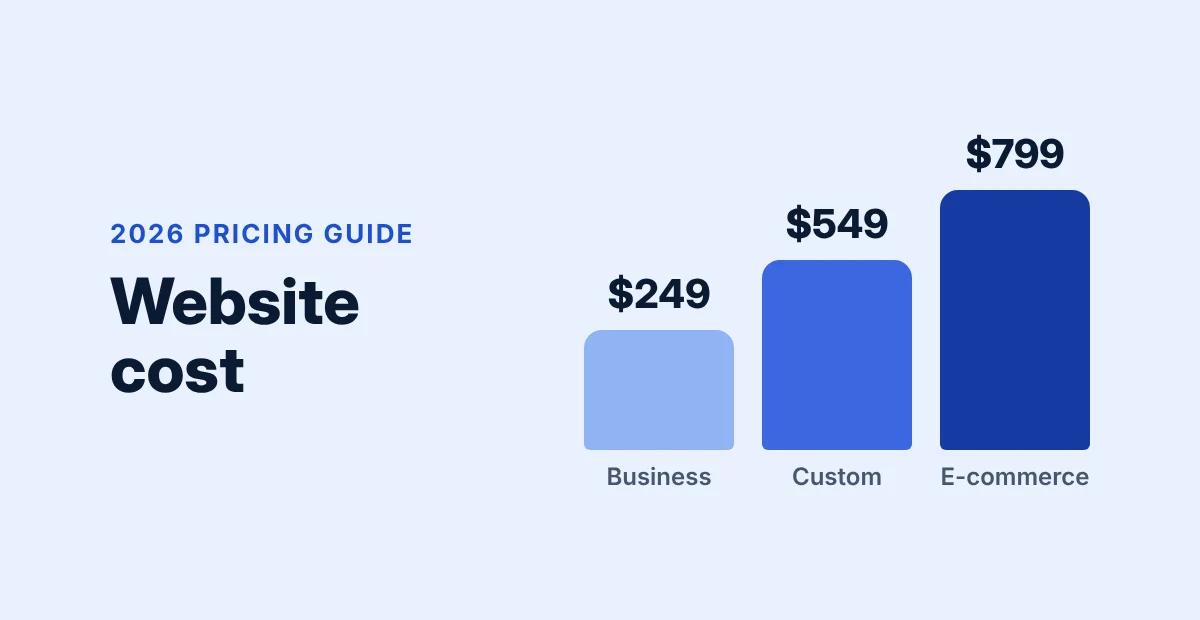
| Budget | Smaller and often completed in phases. | Larger; use our website cost guide to plan the scope. |
If platform choice is part of the decision, compare the operational differences in our WordPress vs Shopify guide.
How to redesign without losing your search rankings
A redesign should not erase the search visibility the current website has earned. Google's site-move guidance points to a disciplined migration process:
- List every URL that matters. Pull URLs from the sitemap, analytics and Search Console, including images and PDFs that receive traffic.
- Keep URLs that already work. If a page ranks and the address is clear, avoid changing it without a strong reason.
- Map old URLs to new ones. Redirect every changed page to its closest replacement with a permanent 301 redirect, not to the homepage.
- Carry over what performs. Preserve useful content and metadata from strong pages, then improve them.
- Keep staging private, then release it. Prevent indexing during development and remove the block at launch.
- Update internal links and the sitemap. Link directly to final URLs and submit the updated sitemap in Search Console.
- Monitor for several weeks. Watch for not-found errors, indexing problems and traffic changes while Google recrawls the site.
Google recommends keeping redirects in place for at least one year, and longer when practical.
Quick website redesign self-check
Count every statement that is true for your current website:
- It is awkward to use on a phone.
- Key pages fail Core Web Vitals or feel slow.
- Traffic arrives, but inquiries are flat or unknown.
- Services, prices, service areas or team information are outdated.
- Small edits require a developer.
- Core services do not each have a focused page.
- The website looks weaker than competitors' sites.
- It fails basic keyboard or contrast checks.
- Leads are copied into other tools by hand.
How to read the result
One or two checks: fix those issues first. Three or more: plan a redesign, starting with the pages and workflows closest to revenue.
Next steps
Start with evidence, not a mood board. Record current inquiries per month, the slowest important pages and the URLs that bring in search traffic. That baseline reveals whether a redesigned website actually performs better.
Want a second opinion? DigiDesk offers a free website and SEO audit. We will review the site against these nine signs and explain whether a refresh or redesign makes more sense. Book a free 15-minute strategy call, explore our web development services and SEO services, or browse recent case studies.
Frequently asked questions
How often should a small business redesign its website?
There is no fixed schedule. Review your website at least once a year against the signs above and redesign when several apply rather than following a calendar.
Will a website redesign hurt my SEO?
It does not have to. Most ranking losses come from changed URLs without redirects, deleted content or an indexing block left in place. Preserve working URLs where possible, create a complete redirect map and monitor the launch.
Should I keep my current website platform or switch?
Keep it if it is secure, fast enough and easy for the team to edit. Consider switching if it limits required capabilities such as online sales, bookings, publishing or integrations.
How long does a website redesign take?
Timing depends on page count, content readiness, revision rounds and integrations. A focused service-business website usually takes less time than an online store or custom application.
Can I redesign a website in phases?
Yes. Many businesses begin with the homepage and core service pages, then improve supporting pages using real visitor and lead data.
Sources
- Mobile-first indexing best practices, Google Search Central
- Understanding Core Web Vitals and Google search results, Google Search Central
- Site moves and migrations, Google Search Central
- PageSpeed Insights, Google